Upload your designs together
Add your artwork to the design library and select the files you want to sell. Keep your light and dark artwork versions organized.

For Printify + Shopify sellers
Upload your designs, reuse your product settings, and generate mockups for the batch. Maestro assigns each image to its Shopify color variant, so you don't have to update every listing yourself.
Free for up to 10 products. Bulk and batch tools included.
Upgrade when you need more products or a higher AI allowance.
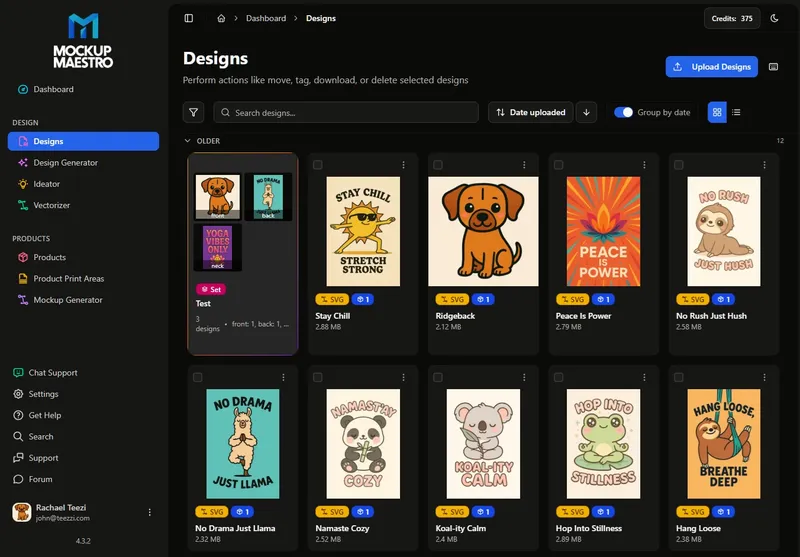
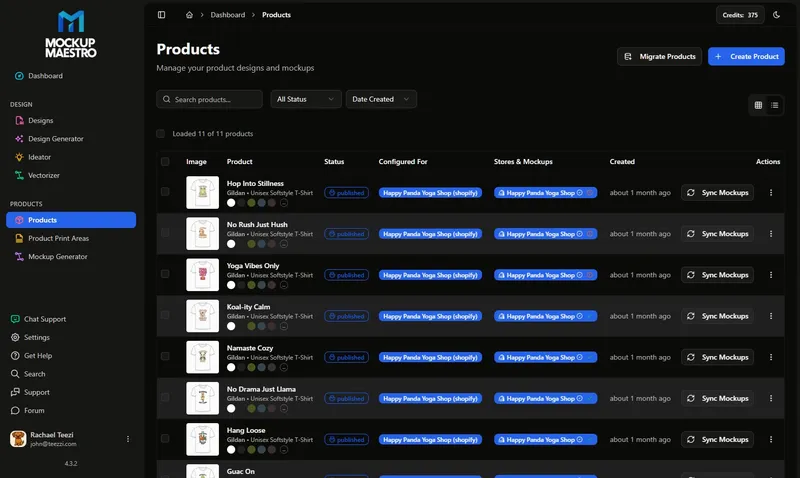
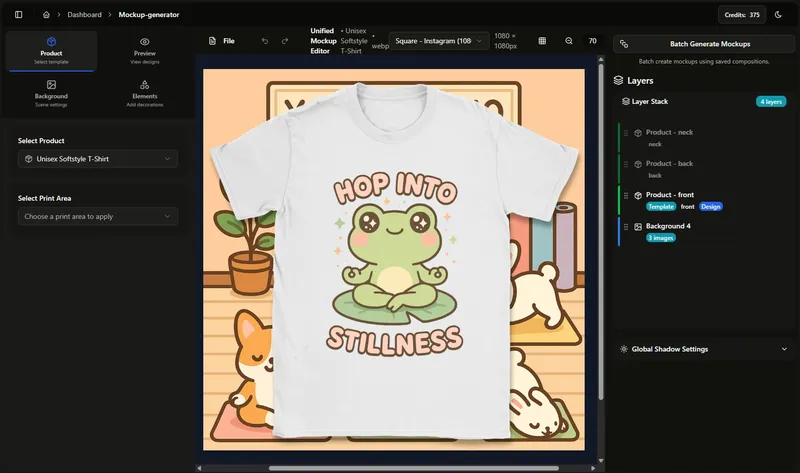
Use the same product settings and mockup layouts across your designs.
Add your artwork to the design library and select the files you want to sell. Keep your light and dark artwork versions organized.
Choose your product, colors, sizes, and prices. Apply those settings to your designs to create a batch of Printify products.
Generate your product mockups in bulk. Send them to Shopify with the images assigned to their matching color variants.
Keep using the bulk tools you started with on Free. Standard gives you room for up to 500 products, so you can add your next collection using the settings and mockup layouts you have already saved.
Start with Free for up to 10 products and a lower AI allowance. Choose a larger plan as your catalog grows.
Manage up to 500 products across up to 5 stores.

I'm John. I built Mockup Maestro because I was spending too much time uploading products and matching mockups in my own stores. I use it for that same work today.
Meet John & Tina →Free includes bulk and batch access for up to 10 products, with a lower AI allowance. Upgrade when you need more product capacity or AI usage. Standard supports up to 500 products for $29.99/month.
You need accounts with the services you want to connect. The workflow shown here uses Printify and Shopify. Their subscriptions, product costs, and transaction fees are separate from Mockup Maestro.
Yes. Upload your designs, set up your product, and create reusable mockup compositions. AI design tools are optional and have plan-specific quotas.
Connect your store and Printify, upload one design, then create a product and review its mockups. Start with one complete workflow before moving to a larger batch. Our walkthrough explains the steps.
Create up to 10 products for free with the bulk and batch tools. Upgrade when you are ready to add more.